
Introduction
Video has become the cornerstone of communication and marketing in today’s digital world. Whether you’re a YouTuber, a business owner, a filmmaker, or someone experimenting with short-form social content, the quality of your videos determines how your audience perceives you. And while shooting good footage is important, the true magic happens in the editing room.
Editing is where raw material is transformed into a compelling story. It is where rhythm, emotion, and engagement are crafted. A poorly edited video, no matter how well shot, can instantly lose the audience’s attention. On the other hand, a well-edited video—even with modest footage—can look polished, professional, and memorable.
This guide explores the most effective video editing tips for 2025. It’s designed for both beginners who are just getting started and seasoned editors looking to refine their workflows. From preparation before editing to advanced pro strategies, you’ll discover practical insights that can elevate your editing skills and help your videos perform better across platforms.
Why Video Editing Tips Matter
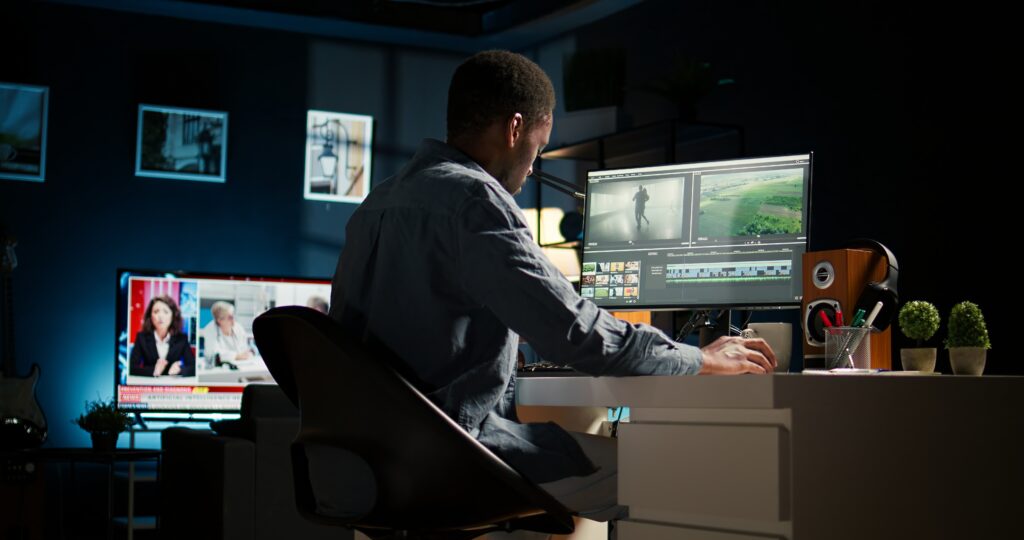
Video editing isn’t just about cutting clips together. It is about storytelling, engagement, and efficiency. For creators and marketers, this means three things.
First, good editing directly influences audience retention. Platforms like YouTube prioritize videos that keep viewers engaged longer. If your editing is sharp, well-paced, and visually appealing, viewers are more likely to stay until the end.
Second, polished editing builds credibility and trust. Brands and creators who publish professionally edited videos position themselves as experts in their field. This is crucial when you’re trying to sell a product, build a following, or establish thought leadership.
Finally, editing tips matter because they save time. Editing is often the most time-consuming part of content creation. By applying proven techniques, you can reduce your workflow time dramatically, freeing you to create more content without burning out.
Pre-Editing Preparation
One of the biggest mistakes beginners make is rushing into the editing software without a plan. Professional editors know that successful editing begins long before you touch the timeline.
The first step is planning your video. This doesn’t have to be a Hollywood-level storyboard, but you should have a clear idea of your narrative structure. Jot down a shot list, plan the order of scenes, and visualize where key moments will appear. When you sit down to edit, this roadmap saves hours of searching through footage.
The second preparation step is shooting in the right formats and settings. Resolution, frame rate, and codec all affect editing flexibility. Shooting in 4K, even if you plan to export in 1080p, gives you room to crop and reframe shots without losing quality. Frame rates should match your style: 24fps for a cinematic look, 30fps for general YouTube content, and 60fps for smooth sports or gaming footage. Saving footage in universal formats like MP4 (H.264/H.265) ensures compatibility with most editing software.
Perhaps the most overlooked preparation step is file organization. A messy folder structure is every editor’s nightmare. Instead, adopt a disciplined system: keep separate folders for footage, audio, graphics, exports, and project files. Label everything clearly and consistently. Backups are equally important—store copies on both an external drive and a cloud service. Losing a project because of a crash is not just frustrating, it’s costly.
Proper preparation sets the tone for the entire project. By starting organized and intentional, your editing sessions will be smoother, faster, and far less stressful.
Editing Workflow
Once you open your editing software, the real work begins. The way you approach the timeline determines both your efficiency and the final quality of your video.
A key principle of modern editing is to work non-linearly. This means you can experiment freely, create multiple versions of sequences, and move clips around without worrying about breaking the project. Don’t be afraid to duplicate timelines, test new edits, and compare versions. Professional editors constantly iterate until the flow feels right.
For creators working with high-resolution footage, using proxies is a game-changer. Instead of forcing your computer to handle heavy 4K or 8K files, proxies create lower-resolution copies that play smoothly in your timeline. Once you’re done editing, the software automatically swaps them with the full-resolution files at export. This keeps your workflow fast and lag-free, even on mid-range machines.
Efficiency also comes from mastering keyboard shortcuts and templates. Reaching for the mouse every time you need to trim, cut, or ripple delete wastes valuable seconds that add up over hours of editing. Learning shortcuts dramatically increases speed. Likewise, using presets for transitions, text animations, and color grades ensures consistency and saves setup time.
Finally, organize your timeline effectively. Place different elements—dialogue, background music, sound effects, graphics—on separate tracks and color-code them. Use markers to highlight key sections. Trimming excess footage early keeps the workspace clean. A tidy timeline not only speeds up your workflow but also reduces the chance of mistakes.
Color, Audio & Effects
Editing is not just about arranging clips—it’s about making them look and sound their best.
Color correction and grading are vital steps. Begin by correcting issues like white balance, exposure, and contrast. Use scopes such as waveform and vectorscope to make adjustments accurately. Once your footage is corrected, move on to grading, where you set the mood and tone. LUTs (Look-Up Tables) can be a quick starting point, but always tweak them to suit your specific footage.
Audio often makes or breaks a video. Viewers may forgive slightly imperfect visuals, but they won’t tolerate bad sound. Dialogue should be clear and leveled around –6dB to –3dB. Background music should sit lower, around –18dB, so it complements rather than competes with speech. Use noise reduction tools to eliminate hums and hisses. Adding light compression to voices can also make them sound more professional and balanced.
When it comes to transitions and effects, moderation is key. Beginners often overuse flashy transitions, which can distract from the story. In most cases, simple cuts and dissolves work best. Reserve complex transitions like whip pans or zooms for moments where they truly add energy or emphasis. Similarly, motion graphics such as titles and lower-thirds should be designed to inform, not overwhelm.
Great editors know that effects should serve the story. If an effect doesn’t add value to the narrative, it doesn’t belong in the edit.
Exporting & Compression
After hours of editing, the last thing you want is to ruin your video with poor export settings. Exporting is where technical knowledge really pays off.
For YouTube, export in H.264 format at either 1080p or 4K resolution, with a bitrate between 12–20 Mbps. For vertical platforms like TikTok and Instagram Reels, switch to a 9:16 aspect ratio at 1080×1920, with a slightly lower bitrate (6–8 Mbps) to balance file size and quality. LinkedIn and Facebook generally perform best with 1080p videos at moderate bitrates around 8–12 Mbps.
Choosing the right codec also matters. H.265 (HEVC) compresses files more efficiently than H.264, allowing smaller sizes without major quality loss. However, not all platforms and systems support H.265, so check compatibility before using it.
For faster exports, clear cache regularly and enable GPU acceleration in your software settings. Heavy projects can be exported overnight to save active working hours. Batch exporting also helps when you need multiple versions of the same video for different platforms.
A well-exported video maintains visual quality while remaining manageable in size—crucial for fast uploads and smooth playback on all devices.
Advanced Pro Tips
Once you’ve mastered the basics, it’s time to explore techniques that separate professional editors from hobbyists.
Plugins and LUTs are essential tools for expanding your creative possibilities. Plugins like Red Giant Universe or BorisFX introduce advanced transitions, effects, and color tools that go far beyond what default software provides. LUTs, meanwhile, can establish cinematic looks instantly. Just remember: plugins and LUTs are starting points, not shortcuts—always adjust them to fit your footage.
Automation is another pro-level strategy. Many editors waste time resizing and re-exporting videos for multiple platforms. By creating automated presets, you can generate horizontal, vertical, and square versions of a video in one batch export. This is especially valuable for marketers who distribute content across YouTube, Instagram, TikTok, and Facebook simultaneously.
For multi-camera projects, professional software offers powerful syncing options. Aligning multiple camera angles with audio waveforms saves hours of manual adjustment. Dynamic linking between editing and motion graphics software (such as Premiere Pro and After Effects) also eliminates the need to render intermediate files, making the workflow seamless.
At this level, your goal isn’t just to edit—it’s to create a pipeline where ideas flow quickly from raw footage to polished video with minimal friction.
Troubleshooting & Optimization
Even the most experienced editors encounter technical issues. What separates professionals is their ability to solve them efficiently.
If you face render errors or frequent crashes, start by clearing your software’s cache. Update your GPU drivers and ensure your editing software is up to date. Allocate more RAM to the program in your system preferences. Often, these simple steps resolve stability issues.
Editors working on low-spec machines can still produce great videos by optimizing their workflow. Using proxies is the first step. Lowering the playback resolution to one-quarter also improves performance without affecting final export quality. Closing background applications frees up memory and reduces crashes.
Beyond technical troubleshooting, think about optimization for discoverability. Video SEO plays a big role in how your videos are found online. Name your export files with relevant keywords (e.g., video-editing-tips-2025.mp4). Write titles and descriptions that naturally incorporate search terms. Adding subtitles not only improves accessibility but also enhances SEO by giving search engines more context about your content.
Optimization ensures that the effort you put into editing translates into actual visibility and results.
Conclusion
Video editing is equal parts art and science. It requires creativity, technical knowledge, and an efficient workflow. By applying these video editing tips, you can transform your videos from average to professional.
The key takeaways are simple: plan before you edit, keep your workflow organized, prioritize audio and color, export with the right settings, and always stay open to pro-level tools that can save time. Troubleshooting and optimization are just as important—because the best editors aren’t those who never face problems, but those who solve them quickly.
Whether you’re an aspiring YouTuber, a business producing marketing videos, or a creator making short-form content, these tips will help you stand out in 2025’s competitive digital landscape.
Want to skip the editing grind and focus on your creativity? At AUS Media, we provide professional video editing services tailored to your needs. Let us handle the edits while you focus on creating content that inspires.
